

Agent Tab Hider for Framer
Open every Framer project on the Style tab — no Agent tab.
Compatibility
Works only in Chromium-based desktop browsers — Chrome, Edge, Brave, Arc, Opera and Vivaldi. It does not work in the Framer desktop app, and it does not work in Safari, Firefox or any browser without Chrome extension support.
What it does
Framer opens the right sidebar on the "Agent" tab by default. If you spend your day in Style, that means one extra click on every single project — and again every time you switch projects.
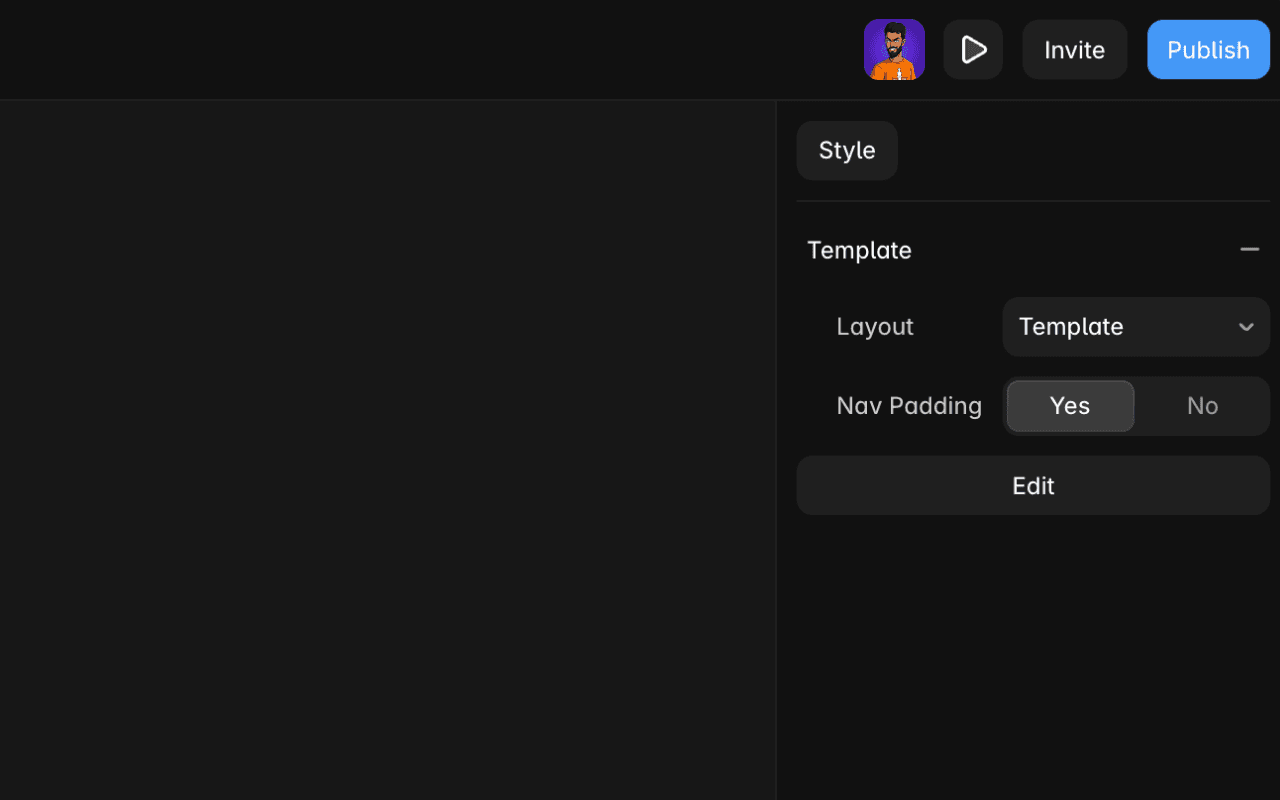
Agent Tab Hider removes the Agent tab from the right panel entirely and automatically selects the Style tab whenever a project opens, including when you move between projects in the same session.
It runs only on framer.com, it does not touch your files, and nothing leaves your browser.
Features
Agent tab hidden
A small stylesheet removes the Agent tab from the right panel so it never takes focus.
Style selected on open
Every project opens on the Style tab — no extra click, no reaching for the mouse.
Survives project switches
Framer swaps panels without a page reload. The extension keeps watching, so switching projects still lands you on Style.
Scoped to framer.com
The extension only runs on framer.com. Every other tab you have open is untouched.
No account, no setup
Install it and it works. There is no sign-in, no options page and nothing to configure.
Nothing leaves the browser
No analytics, no network requests, no storage, no cookies. All the work happens locally.
How it works
- 1
Runs only on framer.com
The content script is scoped to framer.com, so it never loads on any other site.
- 2
Hides the Agent tab
A small stylesheet hides the Agent tab in the right panel as soon as the editor renders.
- 3
Selects Style
If the Agent panel still appears — on load or after a project switch — the extension clicks Style for you.
- 4
Stays local
Everything above happens in your browser. Nothing is recorded, stored, or sent anywhere.
Screenshots
Permissions
No special permissions
Nothing beyond running on framer.com. It cannot read or change any other site you visit.
Data
This extension collects nothing
No analytics, no network requests, no storage, no cookies. Everything happens locally in your browser.
Full details in the privacy policy.
Not affiliated with or endorsed by Framer.